

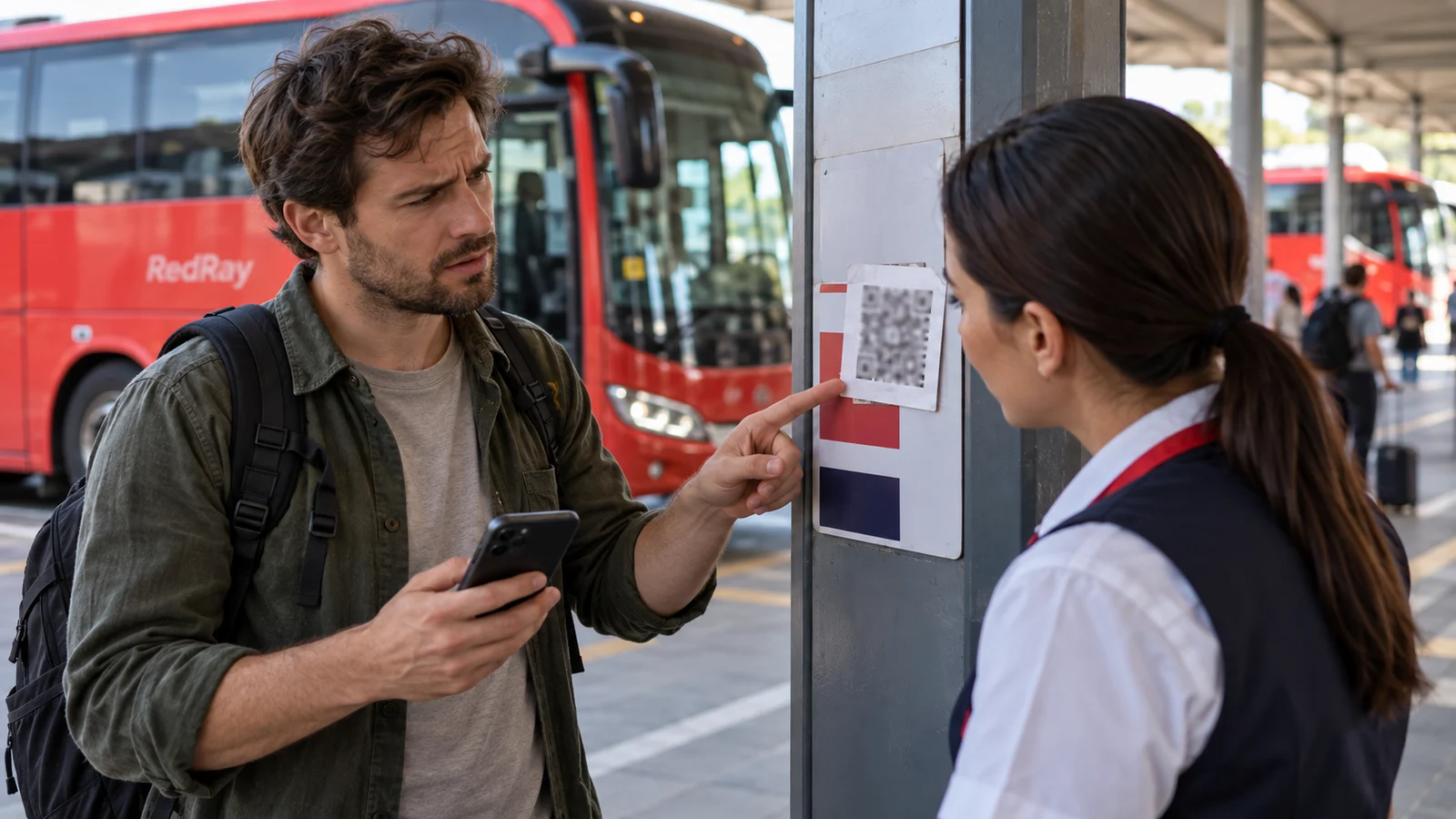
A QR-code sticker near the bus platform supposedly helps locate your service or complete check-in. You scan it, but instead of a terminal map, a form with passport fields or a request to pay for an unclear service opens. Stop before entering data. The real boarding area around you does not confirm the origin of every sticker on a pole.
This is not your ticket code, which you show to responsible staff. It is an outside code that your phone reads and that leads to a particular action. It may be a useful official tool, but needs checking. This article describes a hypothetical situation, not counterfeit notices at a particular bus station or mandatory QR registration for all passengers.
What was promised before scanning?
First read the notice’s purpose. A platform map, terminal website, separate-service payment and questionnaire request are different actions. If the notice only promises directions but the page asks for a banking code, that mismatch needs explanation. Do not finish a form simply because you already spent time scanning and a queue is behind you.
Look at who is responsible for the notice, whether a clear source is given and whether the sticker covers another code or wording. An overlaid sticker is a reason to clarify its origin, not independent proof of crime. Do not tear down the notice or investigate people around you. Report the observation to terminal staff while remaining in a permitted passenger area.
Do not treat a bus logo or popular service name as confirmation. They can be reproduced on an outside page. The link to the responsible organisation and actual address matter, not just design. Familiar styling does not explain why your already-paid ticket supposedly requires another payment or an additional app.
Check the address before filling in a form
If the camera or browser displays the destination address, read it before continuing. Do not rely solely on the first letters or a word resembling the carrier’s name. If the address is hidden or unclear, do not guess its authenticity. Open the known official resource independently or ask an appropriate staff member whether this exact service is used.
A secure-connection symbol does not prove the website belongs to the required company. Nor does it confirm a payment’s basis or the legitimacy of a demand. Do not enter personal details to “see what happens next”. Reading a general service explanation and providing a password or credentials are different levels of involvement. If uncertain, do not proceed to the second.
If the page offers a file or app download, do not agree merely to obtain a boarding address. Clarify what action is genuinely necessary and who requires it. Do not disable phone protection or install an unknown control tool following instructions from that same window. Your goal is verified service information, not granting outside software device access.
Independent contact matters more than a number on the sticker
Contact terminal staff or the carrier through a contact already known from your purchase or an official resource. Ask specifically: “The code near this platform leads to this page and requests this action. Does it concern our service?” You do not need to immediately send a passport or full ticket to explain an outside notice.
A phone number printed next to the code is not independent verification of that code. Likewise, a chat opened by the doubtful page may be part of the same offer. Find the responsible recipient separately. If a staff member does not know, ask whom to contact rather than treating any confident comment from a nearby person as final confirmation.
If payment is requested, establish the service name, recipient, basis and confirmation method. Do not conclude that every separate charge is necessarily unlawful, but do not pay merely because of a threat that “Otherwise the bus will leave”. A genuine service does not confirm every demand referring to it. Check your purchase conditions separately from the page opened through the notice.
If you only opened the page
Do not declare the phone infected merely because a browser showed an unfamiliar address. Close the unverified page, enter no details and do not continue proposed actions. Recall whether you downloaded anything, granted permissions or confirmed a login. These facts matter for further assessment, not a general “I scanned a code and now everything is lost”.
Do not call a number in a sudden virus warning or pay for immediate “cleaning” through that same channel. If the device behaves unusually or you do not understand what was installed, seek competent technical help. Do not experiment with deleting random system components before boarding when that could leave you without ticket access or communication.
If a password, payment or permissions have already been provided
Separate the incident by the action actually taken. An entered password requires protecting the relevant account through its official resource. Banking details disclosed or a suspicious transaction require contacting the bank through a known channel. An installed app or remote access granted requires a separate technical check. Do not give every recipient the same unverified conclusion instead of describing what you did.
Use a trusted device to protect the account if there are grounds to doubt the current one. Do not give a verification code to a new “rescuer” beneath a post about the incident. If the same password was used elsewhere, account for that during the official protection procedure for those logins. Do not make new payments hoping they automatically cancel previous ones.
When contacting the bank or technical support, provide the source, approximate time, address and actions taken to the extent needed. Do not publish codes, a document number or card photo in the passenger group. Keep necessary confirmations privately without continuing to interact with the suspicious page for more evidence. A refund procedure’s outcome and the check’s result cannot be guaranteed in advance.
Return attention to your own service
Check boarding through the ticket and confirmed contact, not the sticker you have just questioned. If departure is close, briefly tell responsible staff about any real document problem. Do not confuse an unverified questionnaire with an official refusal of carriage. Equally, do not assume reporting fraud automatically changes the bus time.
When notifying management about the notice, identify its location and what it requests. Take photos only where permitted and safe, without entering traffic lanes or including other people’s documents. Do not send an active suspicious link to all your contacts asking them to “check it”. A description is enough to warn others without creating new visits.
If someone already wrote “Everyone must pay through this code” in the chat, send a precise clarification after checking. Explain exactly what was or was not confirmed. Do not replace one rumour with another: no established link between a particular sticker and a service does not mean every terminal QR code is dangerous. A properly limited conclusion helps other passengers act without panic.
A quick check before any action
- I understand exactly what the notice promises and who should confirm it.
- The destination address matches a verified source, not just a familiar logo.
- The data or payment request is explained by a specific service, not only urgency.
- I have an independent contact that I did not open from the same sticker.
Save official contacts before an international journey. An outside notice then will not become your only way to find the carrier. This is particularly important near borders, where communication and photography may be restricted. Do not bypass control-area rules to check a code or treat a digital page as permission to enter an official area.
Questions and answers
Is a QR code near a real platform automatically official?
No. Check its purpose, address and link to the terminal or carrier through an independent channel. Location alone does not establish a sticker’s origin.
Is scanning an outside code the same as showing my ticket?
No. In the first case, your phone reads outside information and may open a website. In the second, you present your own document to responsible staff. Do not transfer trust in your ticket to any code nearby.
If I only opened the page, have all my passwords already been stolen?
Do not conclude that without facts. Stop interacting and establish whether you entered details, downloaded a file or granted permissions. Suspicious device behaviour requires competent technical assessment.
Can I verify payment by calling the number on the sticker?
Do not use it as the sole confirmation of that same offer. Open a known contact independently and clarify the specific payment basis before paying.
What should I do after entering card details?
Contact your bank through an official channel and accurately describe the details disclosed and transactions. Do not send secret credentials in a chat or make another payment for a promise to “unlock the refund”.
Useful reading and official sources
If the request arrived by email, read how to check attachments and a suspicious extra payment. If your own document cannot be found, use the procedure for contacting the seller, not a random code on a notice.
Official risk explanations: NCSC Ireland’s QR-phishing guidance and NCSC New Zealand on checking QR destinations. Checked on 23 October 2026. This article does not confirm particular fees, digital procedures or incidents at a specific terminal.